How To Take Order? | myBRA 最懂妳的內衣品牌
How To Take Order?
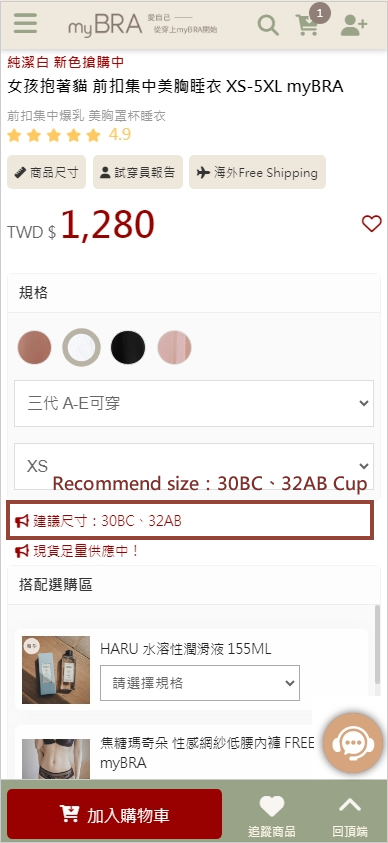
海外會員如何下單 How to take order? STEP1. Click in to the product you want to buy and contact customer service to confirm size. STEP2. Click the color and size (product picture will change color after you choose the color), and it will show you about product detail & recommend size.
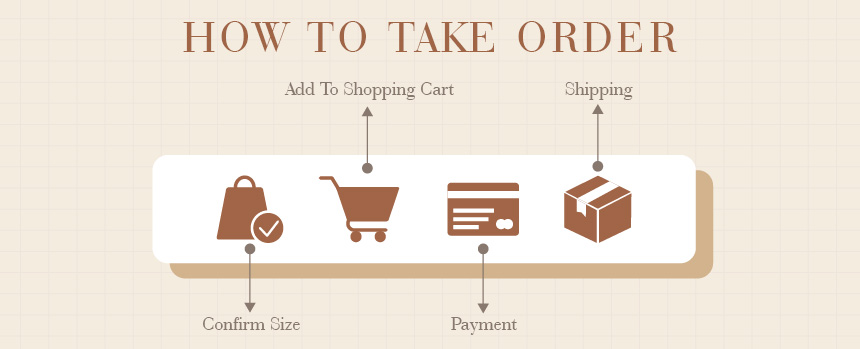
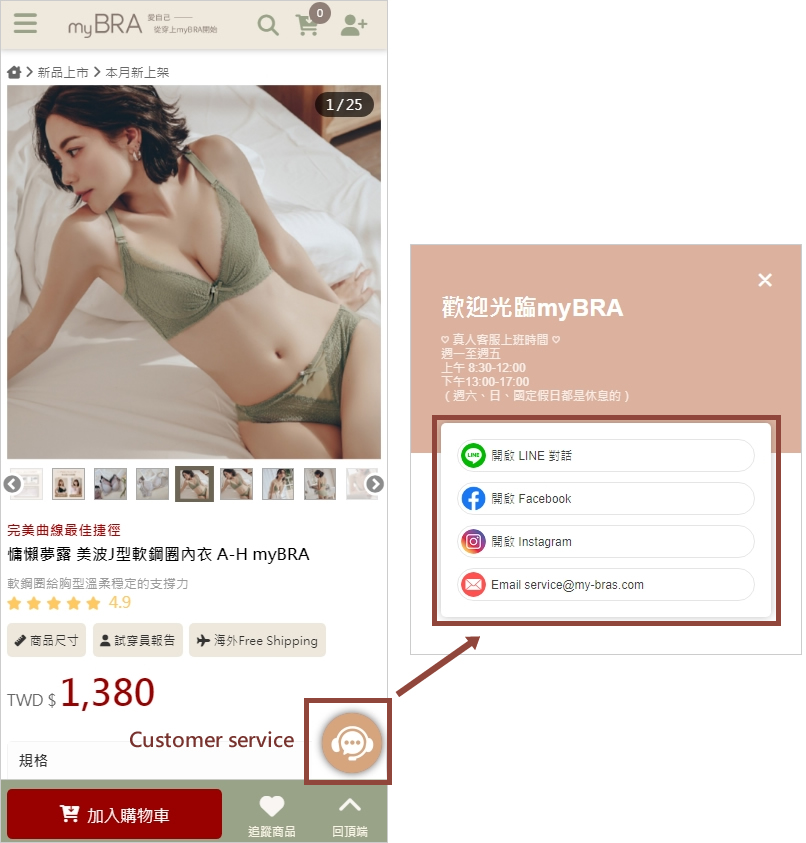
- Step1: Click in to the product you want to buy and contact customer service to confirm size.
- Step2: Click the color and size (product picture will change color after you choose the color), and it will show you about product detail & recommend size.
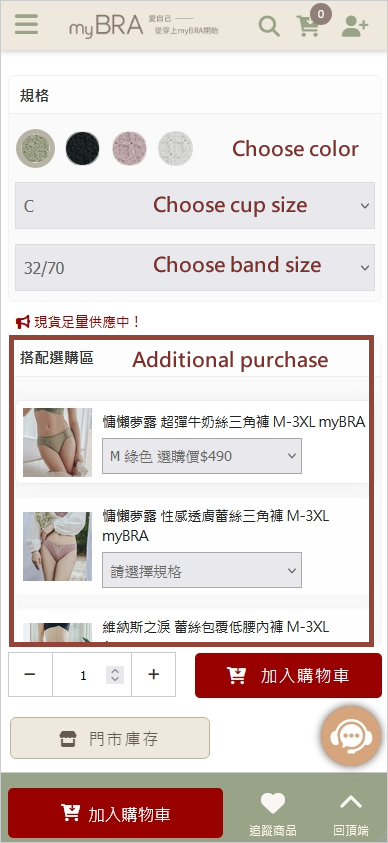
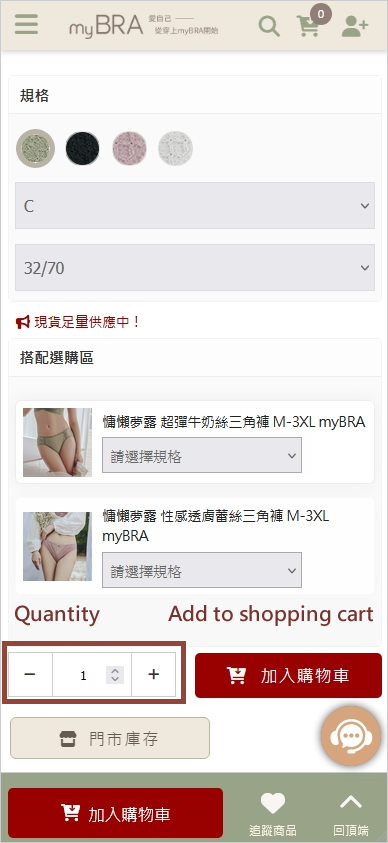
- Step3: Choose purchase quantity, add to shopping cart and checkout.
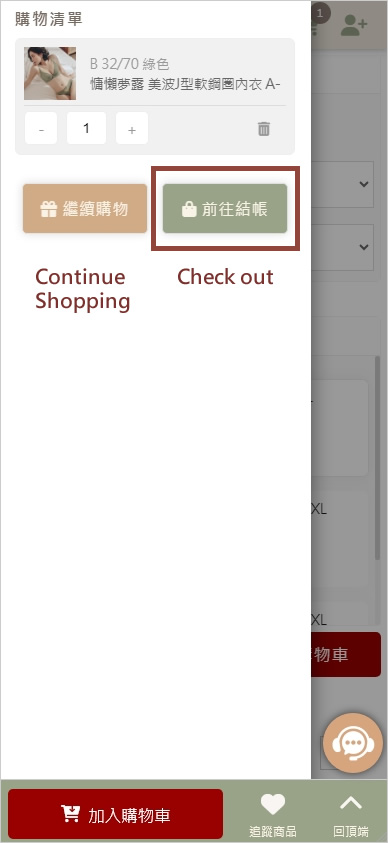
- Step4: Quick member registration with Line, Facebook or Google account.
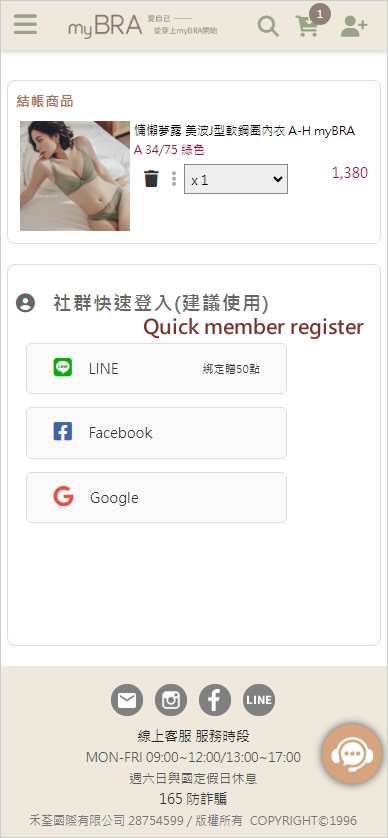
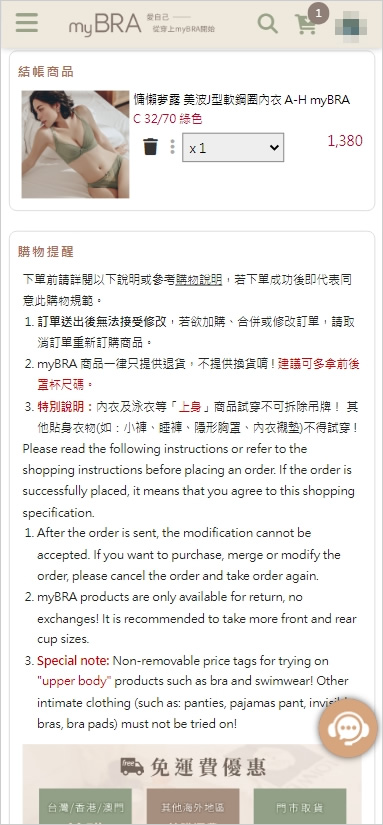
- Step5: Confirm your checkout list.
- Step6: Click the International delivery and choose your delivery country.
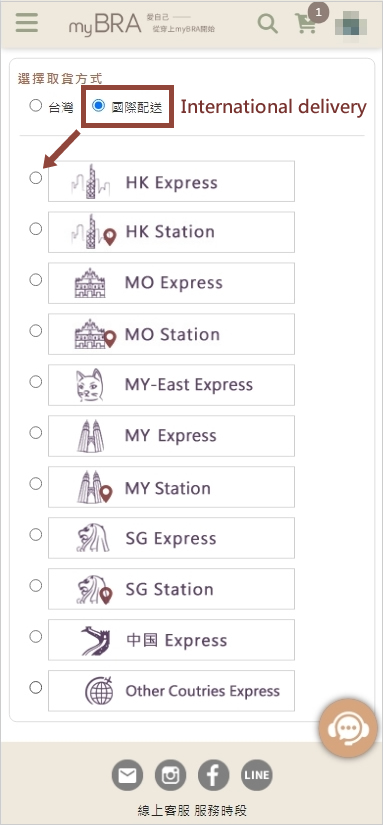
| Express |
Station |
International Express
packages will send to the recipient's provided address. |
Parcel Pickup Station
Overseas members can choose a nearby convenience store for parcel pickup. Upon package arrival, simply present the SMS notification(which includes the SMS code). to collect within the specified timeframe. This option offers flexibility, allowing pickup at a convenient time, such as after work. |
- Step7: Choose your payment terms.
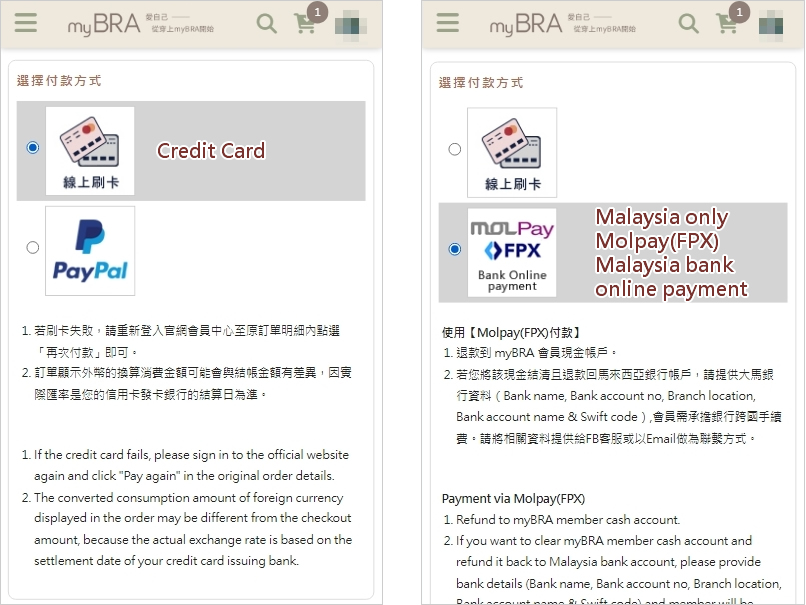
| Country |
Credit Card |
Paypal |
Molpay |
| Hong Kong |
V |
V |
|
| Macao |
V |
V |
|
| Malaysia |
V |
|
V |
| Singapore |
V |
V |
|
| China |
V |
V |
|
| Other Countries |
V |
V |
|
- Step8: Confirm your total.
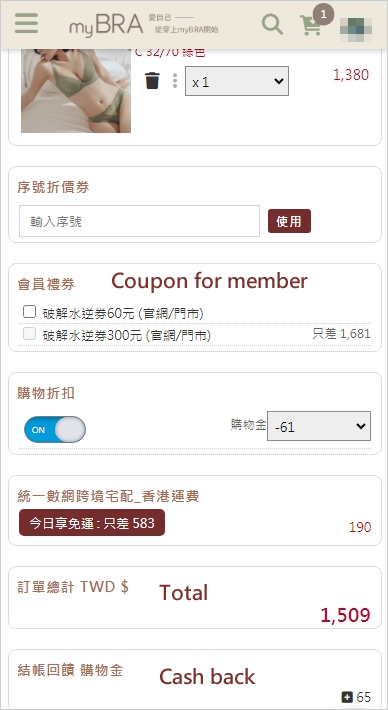
- Step9: Additional purchase with after discount price.
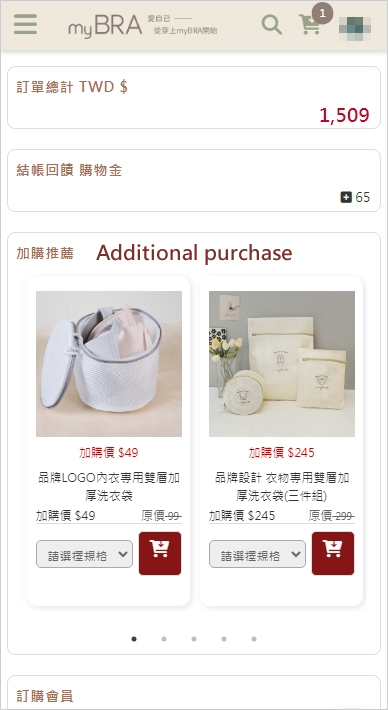
- Step10: Fill in the member’s delivery details.
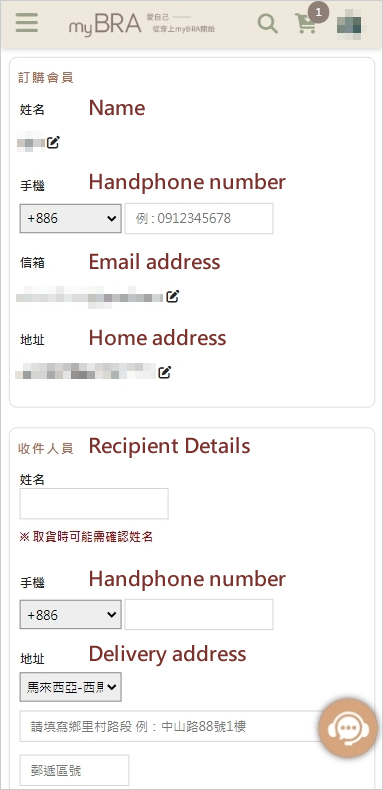
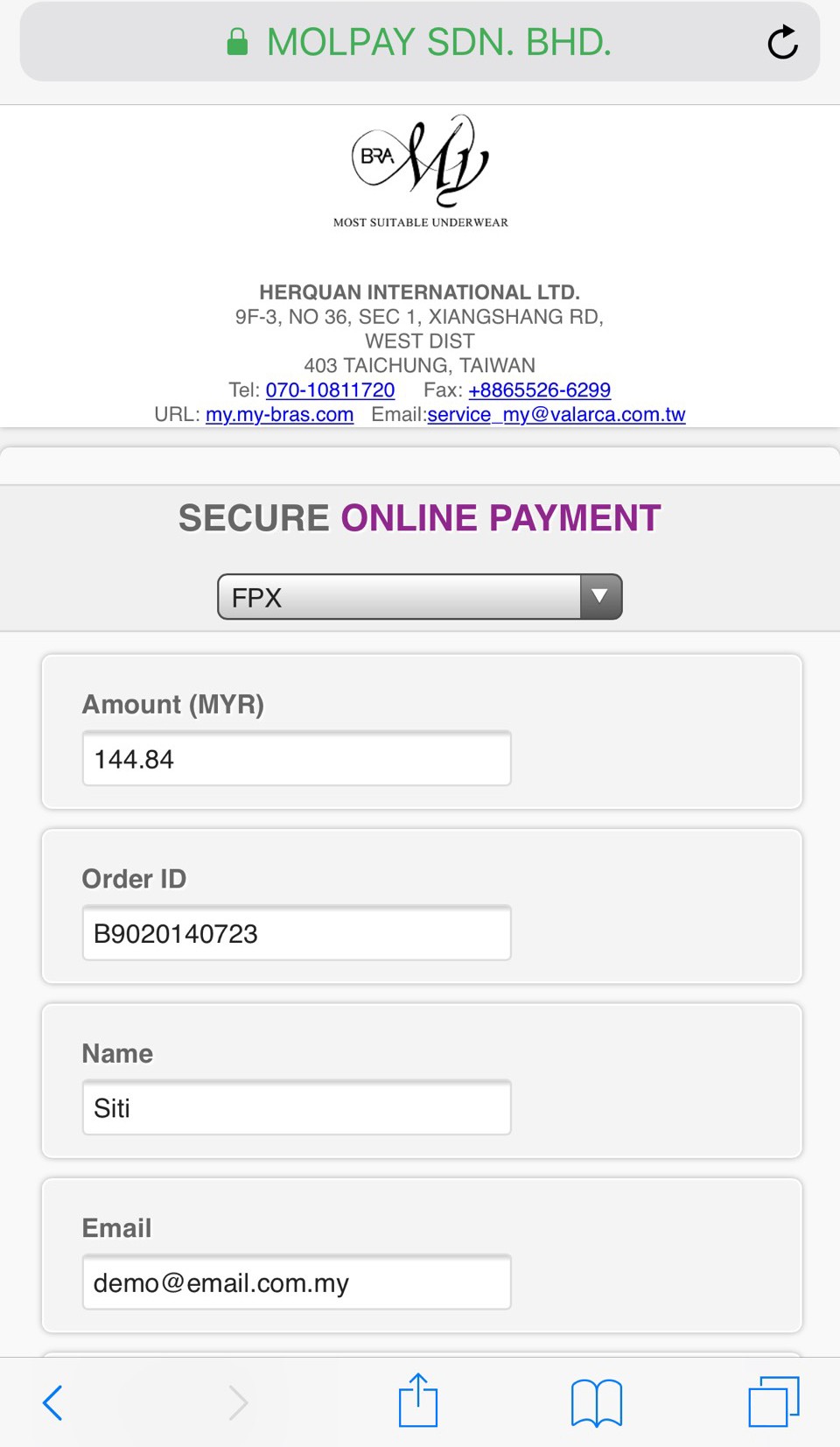
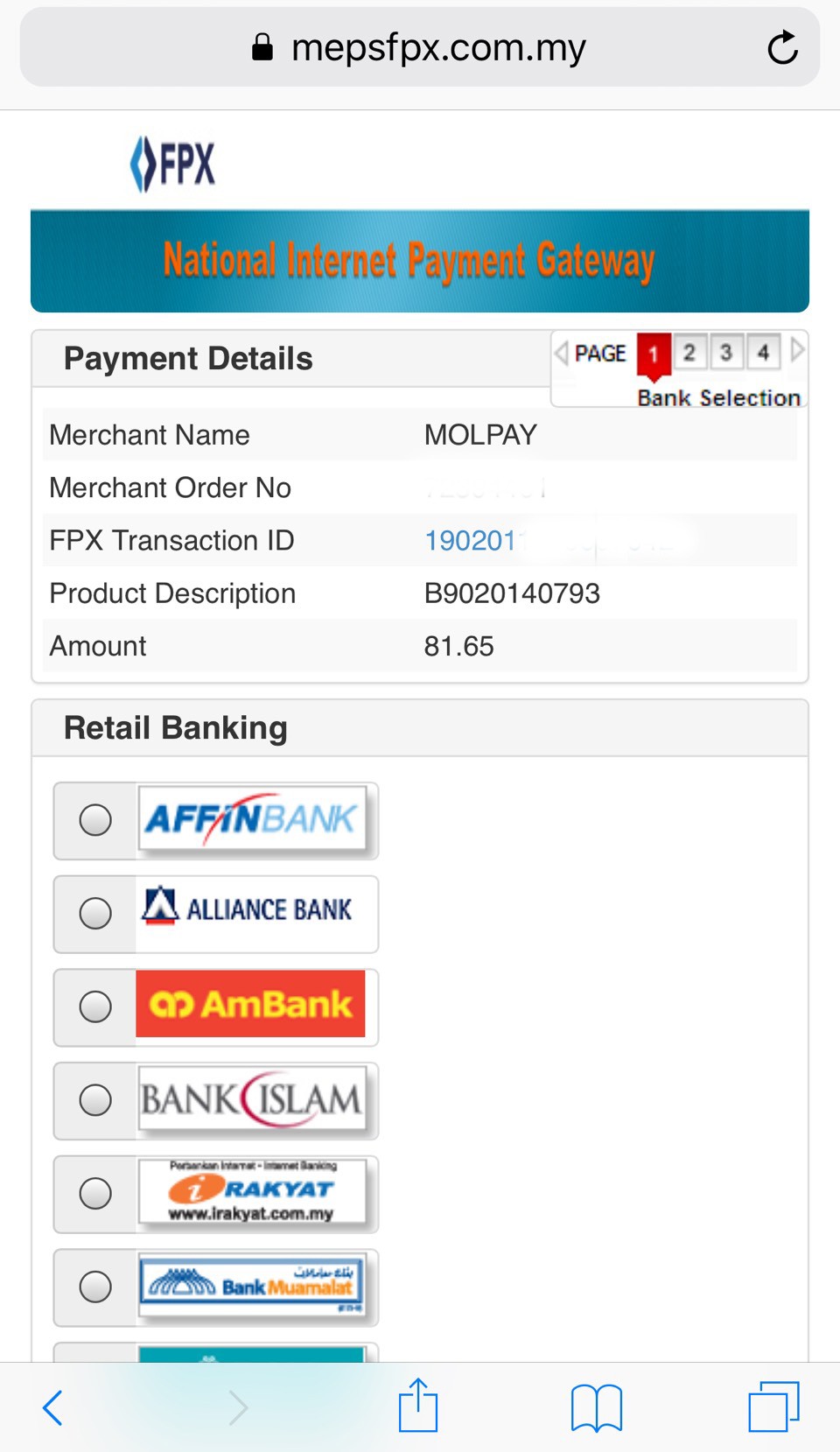
Payment method (*Malaysia only)
- Molpay(FPX)
Bank Online Payment in Malaysia, the system will automatically transfer to the checkout page, please select the payment bank, log in to the bank account and complete the payment.
※ After the order is placed, the payment must be completed within 48 hours, otherwise the order will be invalid.
延伸閱讀: